Civix
Civix provides a centralized civic platform where users can report issues, track progress, and receive updates through a transparent and accessible interface.
UX
UI
Product Design
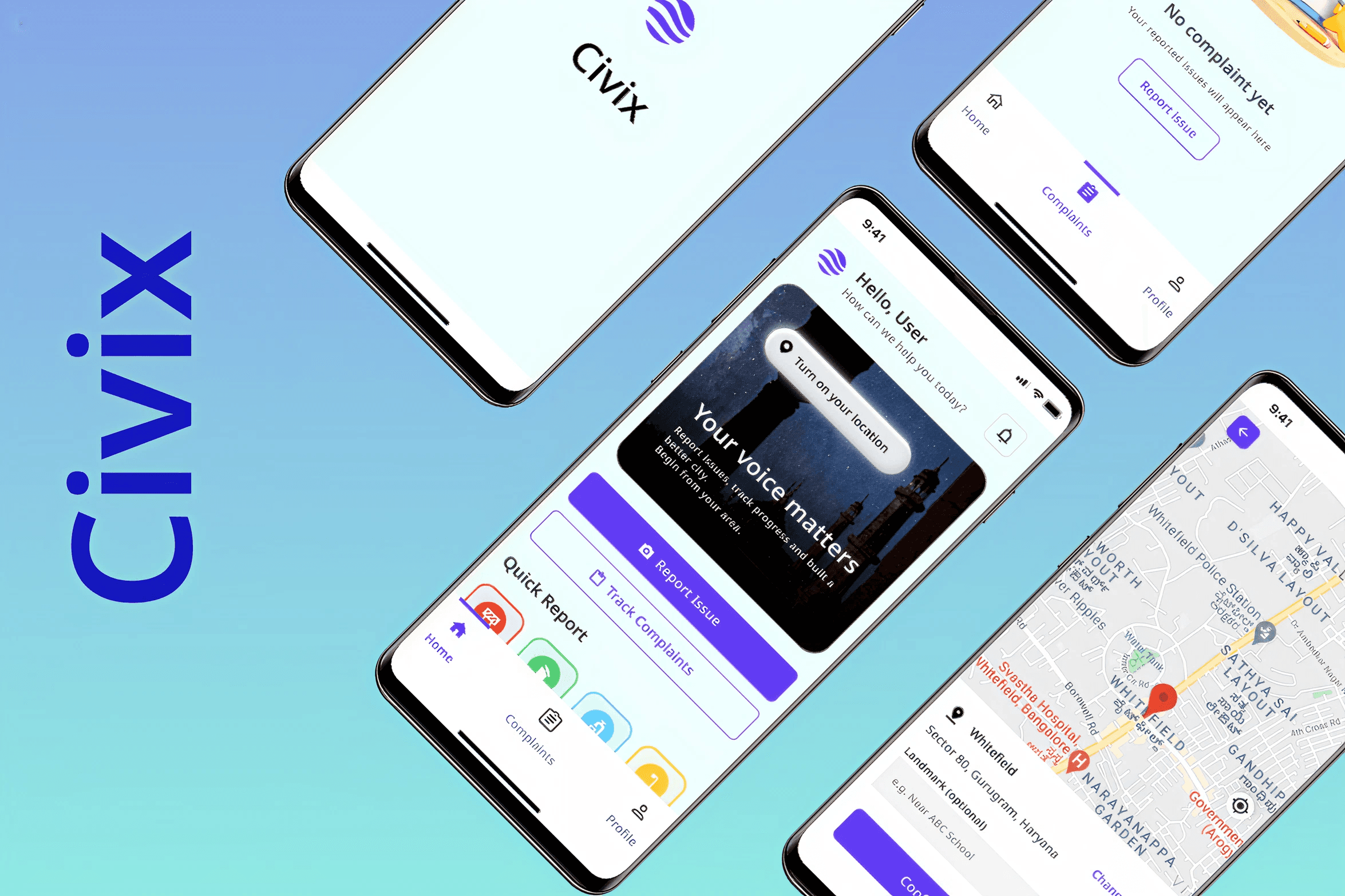
Project Overview
Client: Civix
Industry: Government to consumer
Timeline: A week (2026)
My Role: Product Designer
Context
Existing civic platforms are fragmented, difficult to use, and lack transparency. Users often do not know whether their complaint was received, who is responsible, or when it will be resolved. This reduces trust and discourages adoption of digital civic services.
How Did I Add Value?
As the sole designer, I made the complaint submission flow easier for city residents across age groups and socio-economic backgrounds, primarily smartphone users, with uneven digital literacy and varying expectations from government systems.
Discovery
Internal Findings
During user interviews, i found key pain points that citizens face:
Lack of complaint status visibility
No proactive updates from authorities
Complex and time-consuming reporting flow
Low trust in complaint resolution systems
Repetitive location entry for frequent reporters
Problem
Citizens struggle to access and trust civic services due to complex, fragmented systems that lack transparency, guidance, and accountability.
Service access and complaint registration flows should guide users step by step, clearly explaining what information is needed, what will happen next, and how long each step may take. Users should be able to track progress and receive updates without having to follow up manually.
Trust and accessibility should be embedded through clear ownership of complaints, transparent timelines, multilingual support, and options such as voice input or assisted flows for users who struggle with text-heavy interfaces.
The Challenge
Design a unified mobile application that enables citizens to:
Report civic issues quickly
Track complaint progress transparently
Receive timely updates without manual follow-up
Use the system easily regardless of digital literacy
My Solution
Civix provides a centralized civic platform where users can report issues, track progress, and receive updates through a transparent and accessible interface.
Core capabilities include:
Fast complaint reporting using photo and location
Complaint tracking through status timeline
Real-time updates via notifications
Location auto-detection to reduce repetitive effort
Clear department ownership and resolution updates
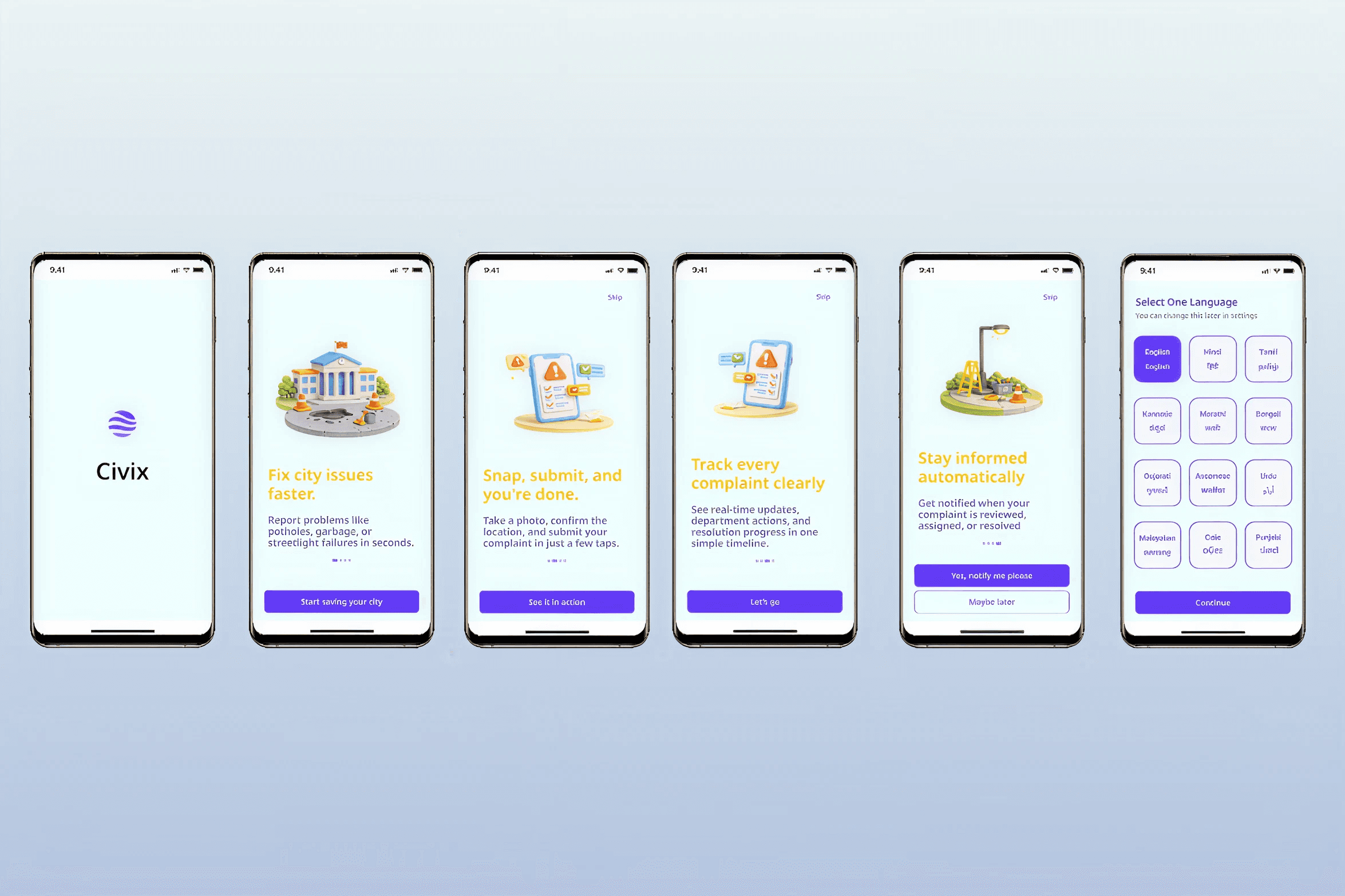
Onboarding
I tried to create AHA! moment for the citizens when they move towards language selection
Instead of telling the citizens how they should proceed, I highlighted why it is valuable.
Instead of telling them what i am offering in this app, i displayed the services clearly even with the CTA button.
Instead of asking the citizens, i offered citizens one clear reason so they want to be notified.
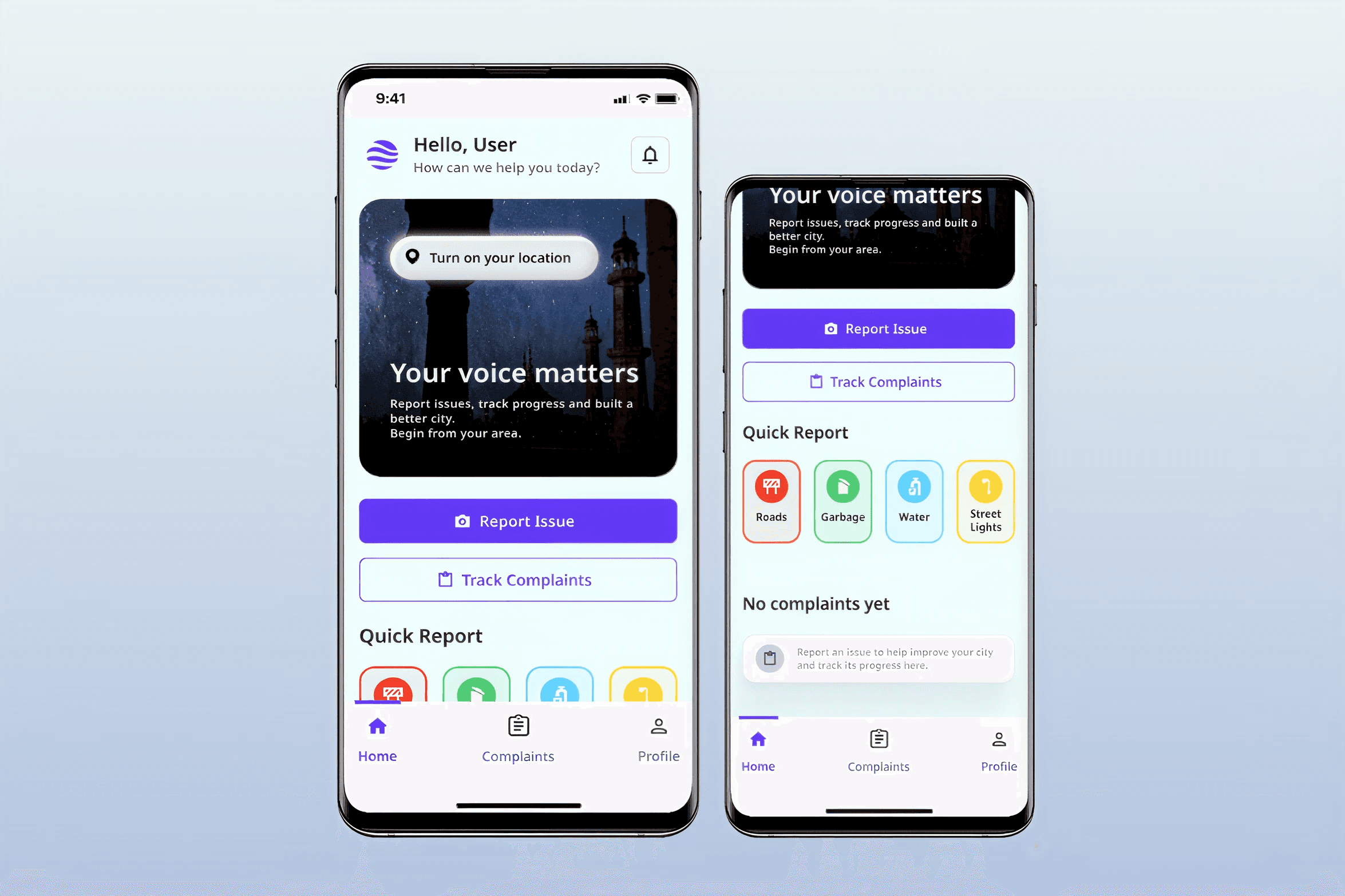
Homescreen
After authentication via mobile number and OTP, the citizen lands on homescreen. Citizens can enable location on the home screen to automatically detect complaint location. This reduces repetitive effort while allowing manual modification if needed.
There is a quick report section that lists issues most frequently used by citizens, allowing them to select at a glance instead of clicking the report issue button and then selecting it.
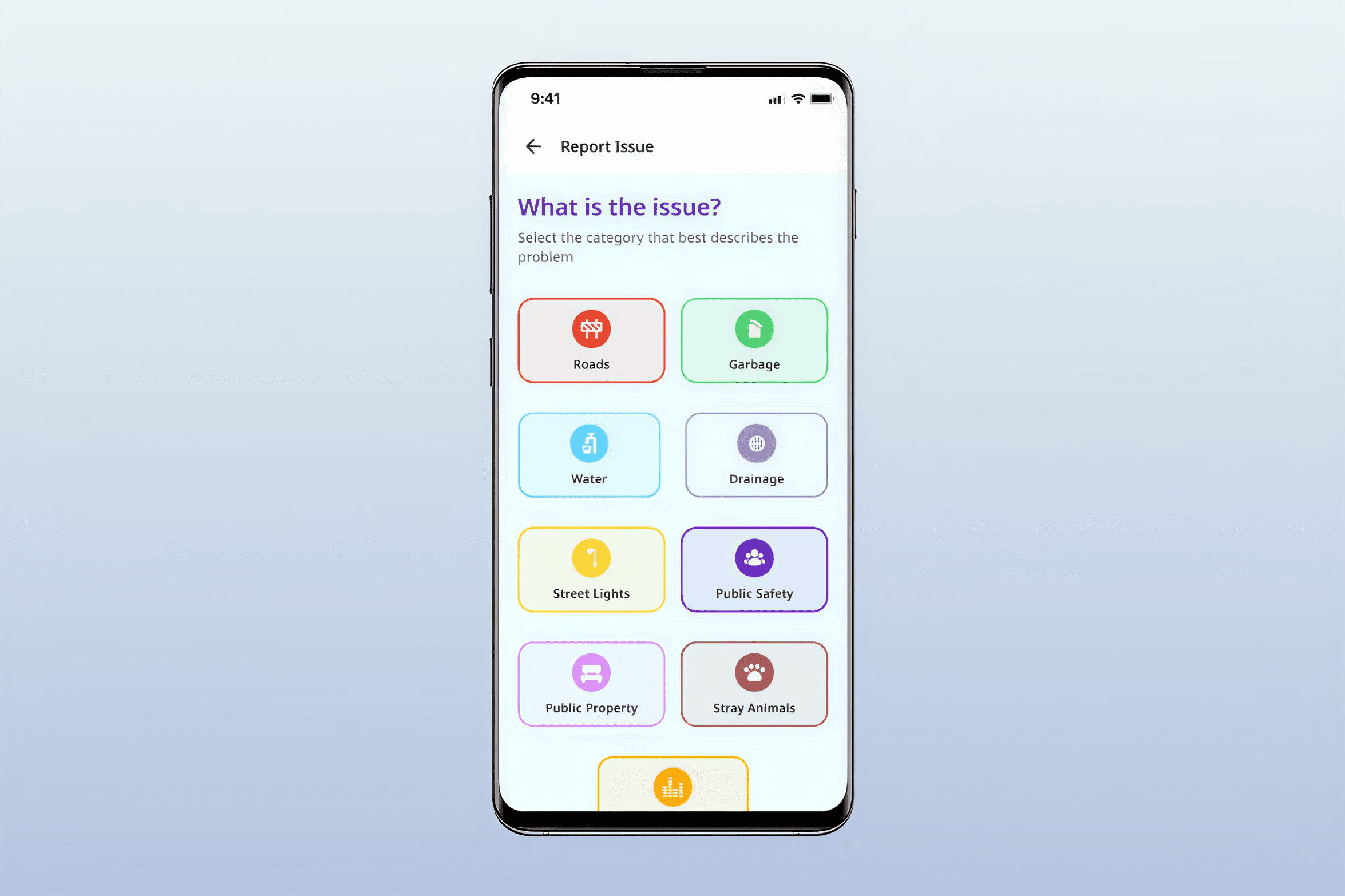
Report Issue Screen
Issue categories were designed using consistent color coding (e.g., Roads – Red, Garbage – Green, Water – Blue, Electricity – Yellow) to enable faster visual recognition.
This reduces cognitive load and helps elderly users, forgetful users, and users with lower digital literacy quickly identify and select the correct issue type without relying entirely on text. Color coding improves usability, especially in multilingual and accessibility-focused environments where users may rely more on visual cues than written labels.
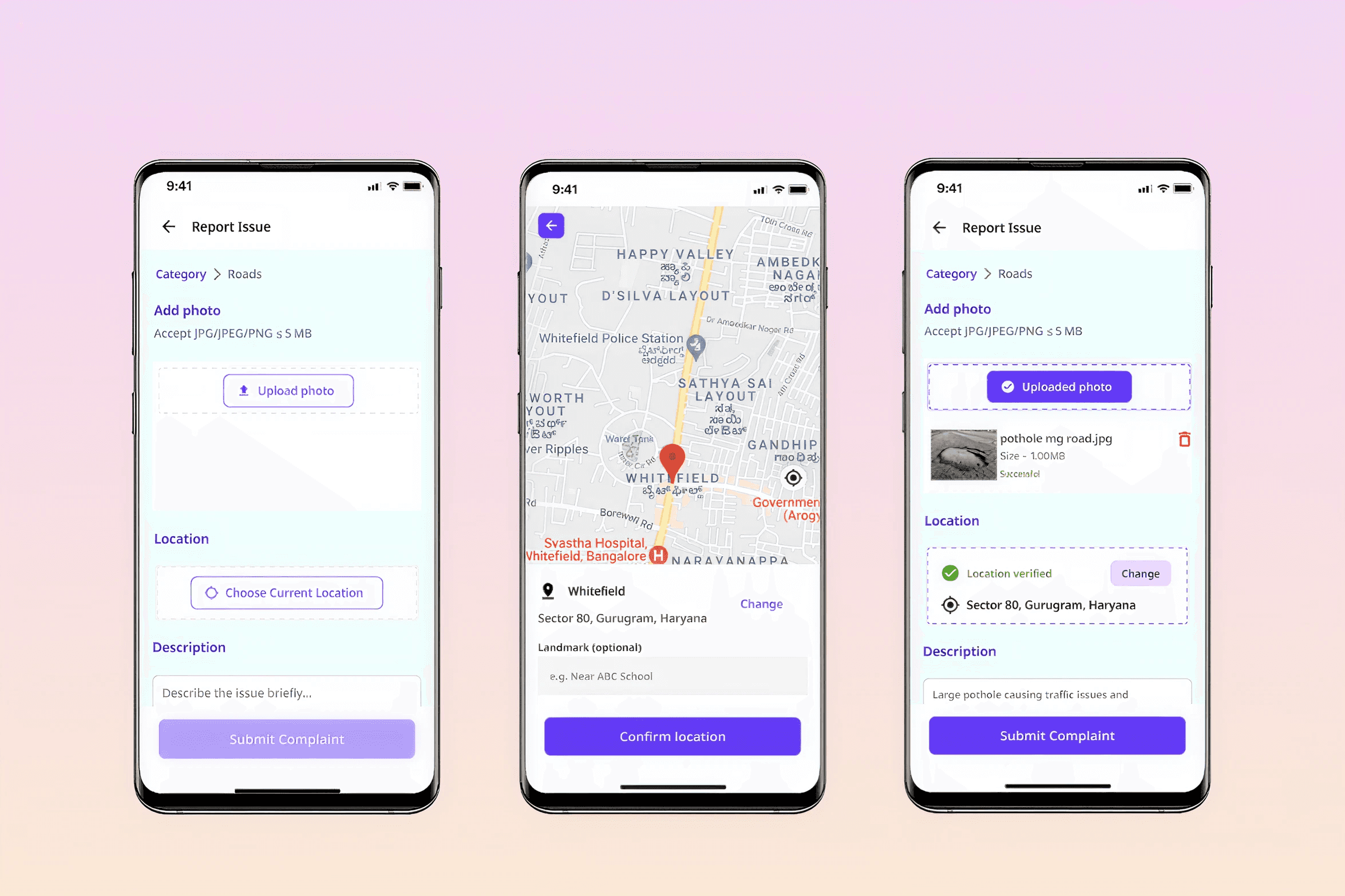
Complaint Submission Screen
Complaint submission was designed as a single-screen form combining photo, location, and description. This reduces effort, improves completion rate, and supports users with lower digital literacy.
Notification access is again requested after complaint submission, when users expect updates. This improves permission acceptance and ensures relevance.
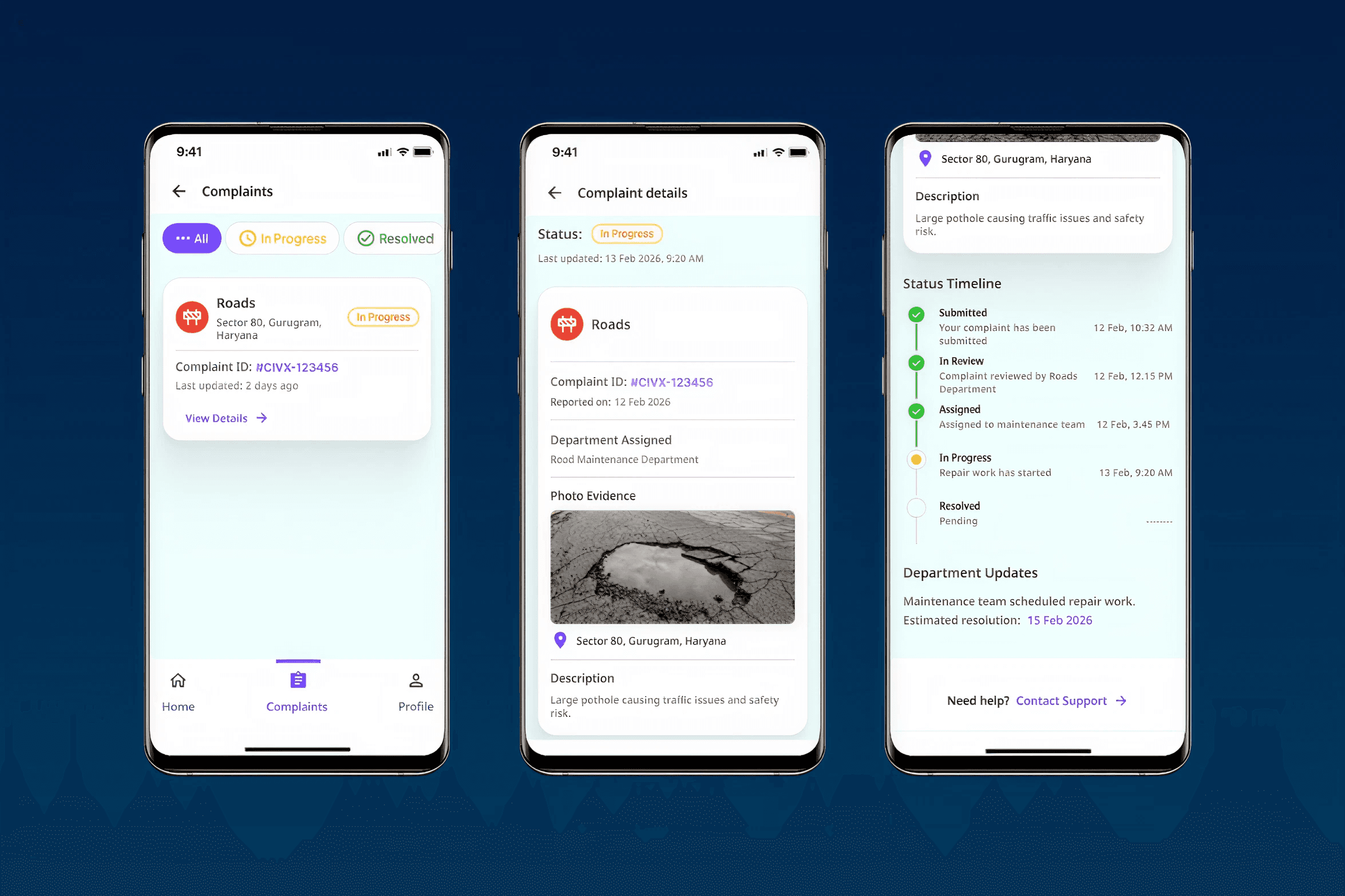
Complaint Tracking Screen
Reported issues are categorized by status: in progress, resolved, or all complaints.
Each complaint includes a timeline with status progression, timestamps, and department ownership. This improves visibility and builds user trust.
Included a contact support button at the bottom because the citizen expects it if their issue is not resolved, and the citizen can connect with the help for assistance.